Is It AI? How to Spot AI-Generated Images
The Question Everyone Is Asking: "Is It AI?"
You see a stunning photograph on social media. A breaking news image that seems too dramatic. A profile picture that looks too perfect. The question that pops into your mind is increasingly: "Is it AI?"
In 2026, this question has become one of the most common on the internet — and for good reason. AI image generators have reached a level of realism that makes casual detection nearly impossible. But with the right tools and knowledge, you can answer this question in seconds.
The 30-Second Quick Check
Before reaching for any tools, perform these rapid visual checks:
🔍 The Hand Test
Look at any visible hands. Count the fingers. Check that joints bend naturally. AI hands remain one of the most reliable visual tells — though they're getting better each month.
👁️ The Eye Test
Zoom into the eyes. Check for:
- Matching reflections in both eyes (should show the same environment)
- Consistent pupil shapes and sizes
- Natural iris detail and coloring
📝 The Text Test
If there's any text in the image — signs, labels, watermarks — read it carefully. AI frequently generates nonsensical or misspelled text.
🌊 The Edge Test
Look at where subjects meet the background. AI often creates a slight "halo" effect or blurring where foreground meets background.
The Instant Answer: AI Detection Tools
Visual checks are helpful but not definitive. For a reliable answer to "Is it AI?", use a purpose-built detector:
How It Works:
- Upload the image to AI Image Detector V2
- Wait 30-60 seconds for comprehensive analysis
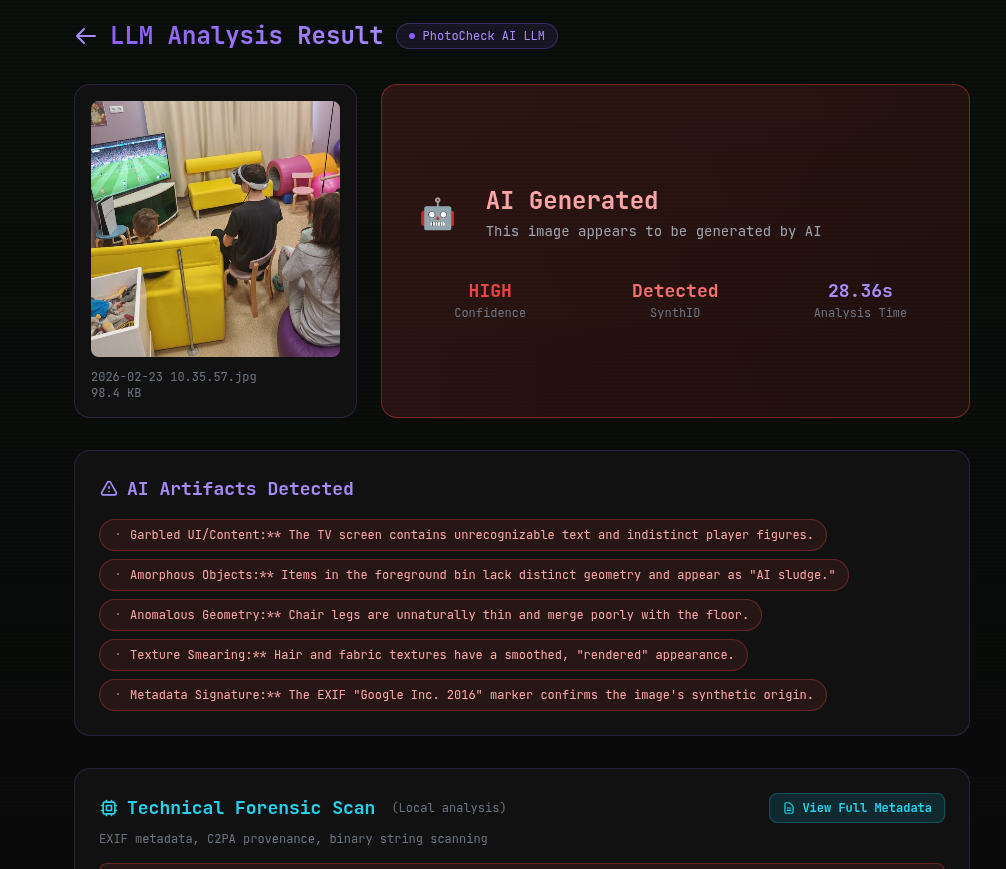
- Get your answer — AI Generated or Likely Authentic, with confidence level
What the Detector Actually Checks
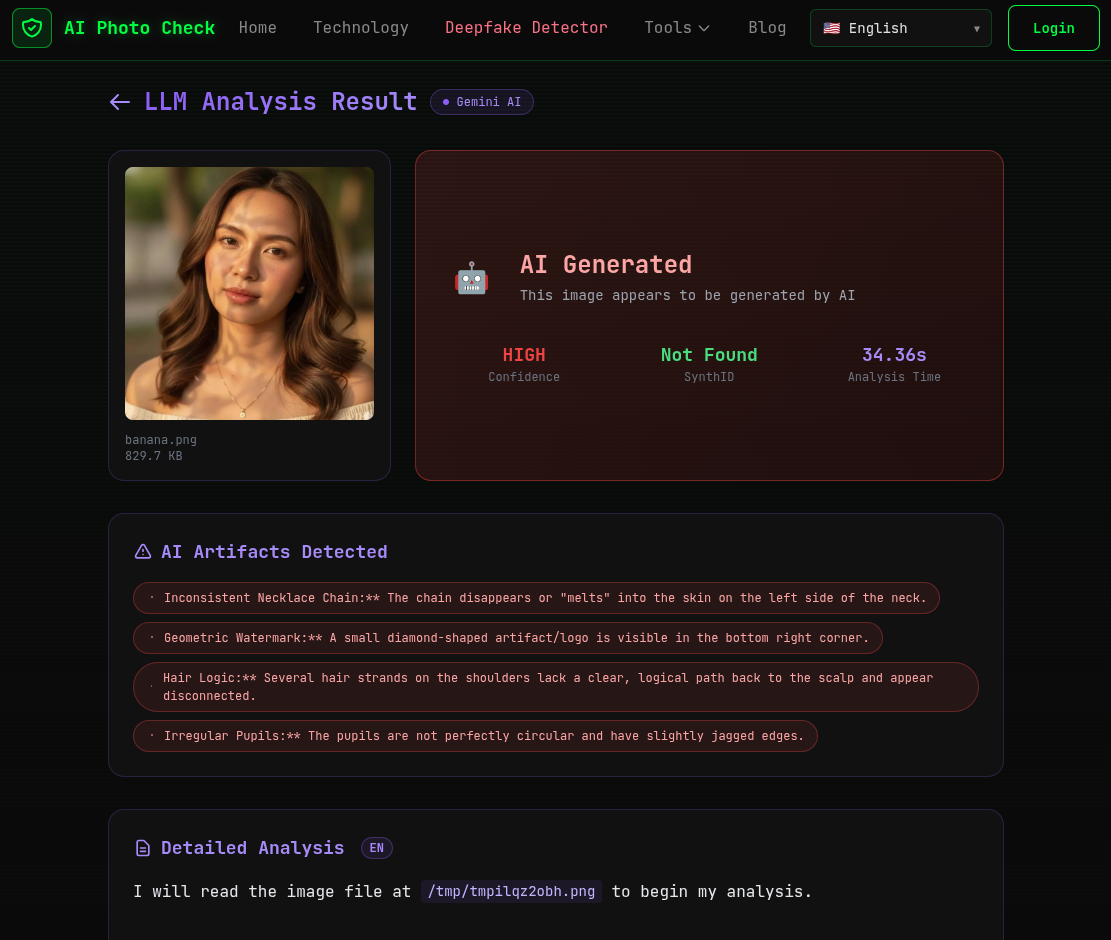
AI Photo Check's V2 detector doesn't just make a guess. It performs a multi-layer forensic analysis:
Layer 1: Visual Forensics (LLM-Powered)
Using Google Gemini 2.0 Flash, the detector examines thousands of visual features:
- Micro-texture analysis — AI generators leave characteristic patterns in textures at the pixel level
- Anatomical verification — Checking human features for biological accuracy
- Physical consistency — Verifying that lighting, shadows, and reflections follow the laws of physics
- Semantic analysis — Checking if the scene makes logical sense
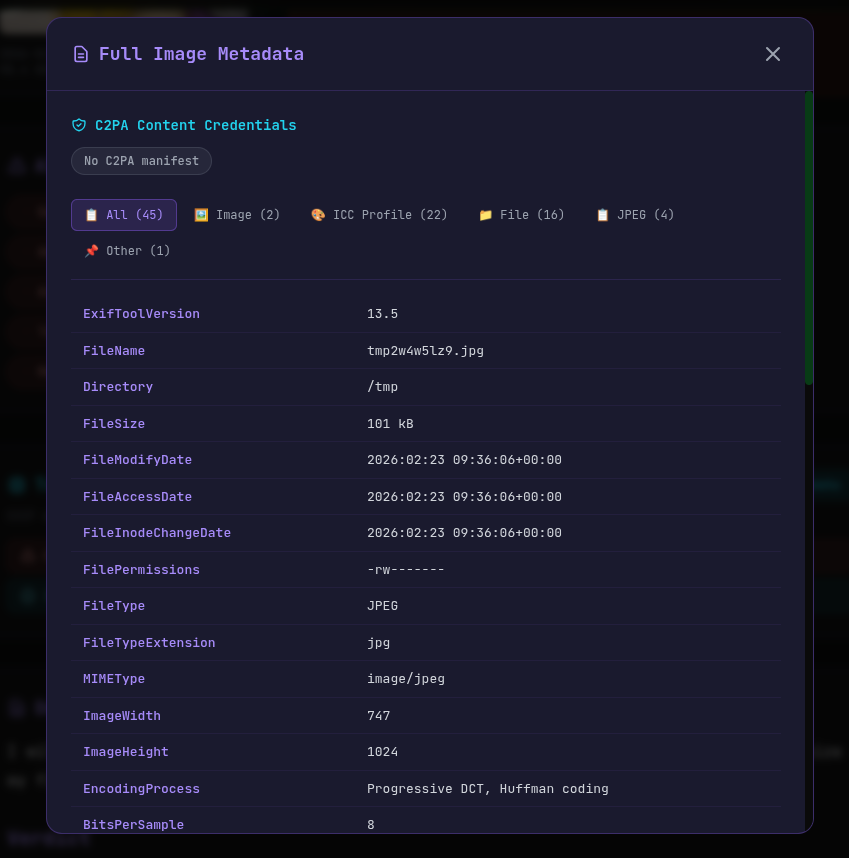
Layer 2: Technical Forensics
- EXIF metadata — Real photos have camera data; AI images usually don't
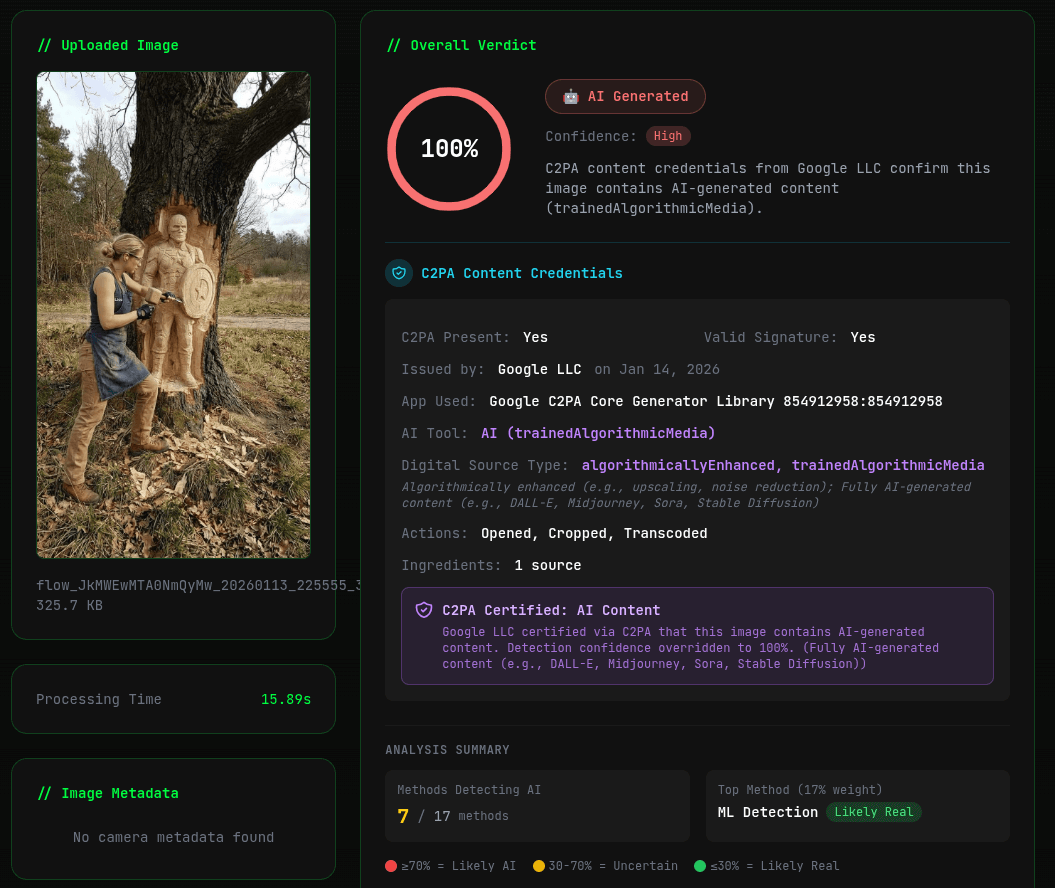
- C2PA credentials — Cryptographic proof of AI generation from providers like Google, Adobe, and OpenAI
- SynthID watermarks — Google's invisible watermark technology
- Binary markers — Hidden strings and signatures from AI generation pipelines
Common "Is It AI?" Scenarios
🖼️ Social Media Profile Pictures
AI-generated profile pictures are increasingly common on dating apps and social platforms. Look for overly perfect skin, studio-quality lighting in casual settings, and the inability to find the person in any other photos online.
📰 News and Current Events
Fake AI-generated images of news events can spread rapidly. Always check the source and cross-reference with trusted news outlets. Use AI detection tools to verify suspicious images before sharing.
🛒 Product Photos
Some sellers use AI-generated product images that don't represent the actual item. Check for unrealistic perfection and compare with user-submitted photos when available.
🎨 Art and Photography
AI art contests and photography competitions have been disrupted by undisclosed AI submissions. When authenticity matters, AI detection tools provide an objective verification.
Best Practices: Building Your "Is It AI?" Instinct
- Stay skeptical — If an image seems too perfect, too dramatic, or too convenient, question it
- Check the source — Where did the image originate? Can you trace it back to a credible source?
- Use tools — When in doubt, upload to AI Photo Check for instant verification
- Stay updated — AI technology evolves rapidly; keep learning about new detection methods
- Share responsibly — Before forwarding a suspicious image, verify it first
Answer "Is It AI?" Right Now — Free Detection Tool →
Last updated: February 23, 2026.
Ready to verify your images?
Try our free AI image detector with 17 detection methods and 90%+ accuracy.
Try AI Photo Check Free