How to Find Where a Photo Was Taken — GPS Location from Pictures
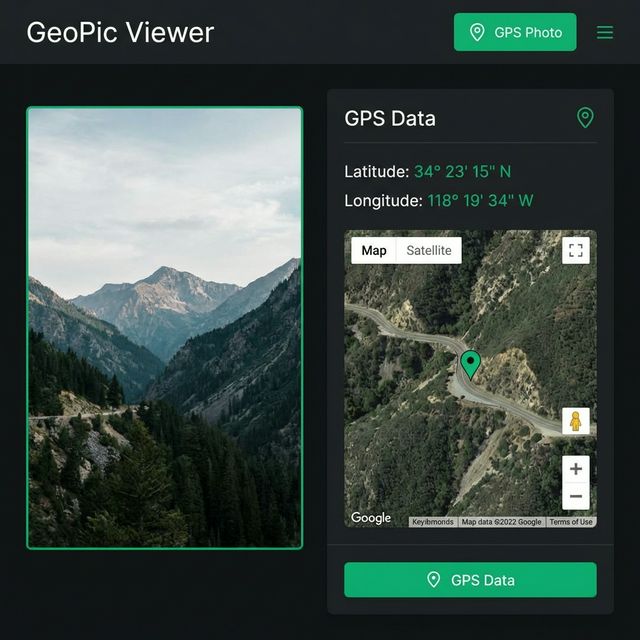
Every photo you take with a smartphone contains more information than meets the eye. Hidden within the image file is a treasure trove of metadata — including, in many cases, the exact GPS coordinates of where the photo was taken. This embedded location data can be incredibly useful for organizing your photo library, but it can also be a serious privacy concern if you share photos without realizing they contain your location.
In this comprehensive guide, we'll explain how GPS data gets embedded in photos, how to find where any photo was taken, and how to protect your privacy when sharing images online.
What Is GPS EXIF Data in Photos?
EXIF (Exchangeable Image File Format) is a standard that defines the metadata stored in image files. When your camera or smartphone captures a photo, it automatically records dozens of data points — including camera settings, date and time, and most importantly, GPS coordinates if location services are enabled.
GPS EXIF data typically includes:
- Latitude & Longitude — The exact geographic coordinates where the photo was captured, usually accurate to within a few meters
- Altitude — The elevation above sea level at the time of capture
- GPS Timestamp — The date and time from GPS satellites (independent of the camera's clock)
- Direction (Bearing) — The compass direction the camera was pointing when the photo was taken
- Speed — If available, the speed at which the device was moving
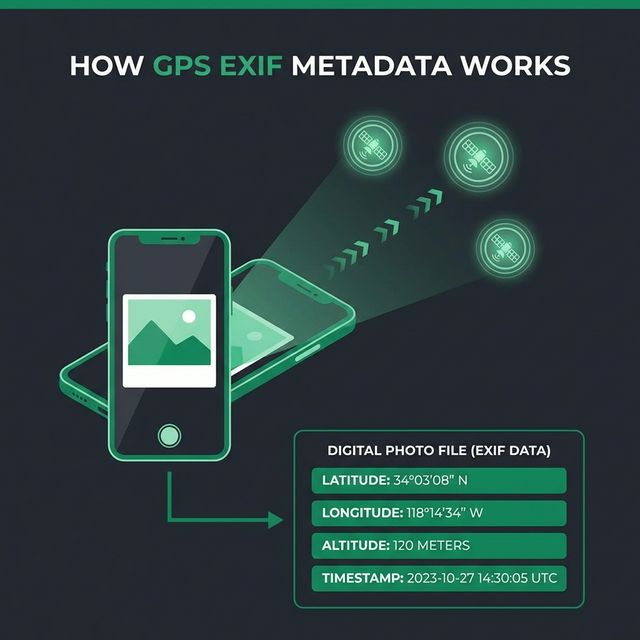
This metadata is silently written into the image file itself — it's not visible in the photo, but anyone with the right tools can extract and read it.
Which Devices Embed GPS Data?
Almost every modern device with a camera can embed GPS location data:
| Device Type | GPS Embedded by Default | Notes |
|---|---|---|
| iPhone | ✅ Yes | Enabled when Location Services is on for Camera app |
| Android Phones | ✅ Yes | Controlled by "Save location" toggle in Camera settings |
| DSLR Cameras | ⚠️ Some | Higher-end models have built-in GPS; others need an external module |
| Mirrorless Cameras | ⚠️ Some | Many modern mirrorless cameras include GPS; some use phone connection |
| Drones (DJI, etc.) | ✅ Yes | Drones always record GPS coordinates, altitude, and flight data |
| Action Cameras (GoPro) | ✅ Yes | GPS data included when GPS feature is enabled |
| Webcams / Screenshots | ❌ No | These don't have GPS hardware and won't contain location data |
Key takeaway: If you took a photo with your smartphone and had location services enabled, there's a very high chance the photo contains GPS coordinates.
How to Find Where a Photo Was Taken
The easiest and most reliable way to check if a photo contains GPS location data is to use a dedicated tool. AI Photo Check's GPS Location Viewer is a free, privacy-focused tool that extracts GPS coordinates from any image and displays the location on an interactive map.
Step-by-Step: Find a Photo's Location
- Go to aiphotocheck.com/gps-viewer
- Upload your photo (JPEG, PNG, WebP, TIFF, or HEIC)
- Within seconds, view the results:
- Latitude & Longitude — Exact GPS coordinates with copy button
- Altitude — Elevation data if available
- Date Taken — When the photo was captured
- Interactive Map — See the exact location on Google Maps
- Approximate Address — Reverse-geocoded street address
- Full Image Metadata — Complete EXIF data including camera model, settings, and all embedded tags
- Click "Open in Google Maps" to explore the location further
The tool processes everything in your browser — your photos are never stored on our servers, ensuring complete privacy.
Why Use AI Photo Check's GPS Viewer?
- Completely free — No registration, no limits, no watermarks
- Privacy-first — Images are processed temporarily and immediately deleted
- Interactive map — See the exact location with Google Maps embed
- Reverse geocoding — Automatically converts coordinates to a readable address
- Full metadata display — View all EXIF categories: camera info, settings, dates, GPS, ICC profile, and more
- Copy coordinates — One-click copy for latitude, longitude, or both
- All formats supported — JPEG, PNG, WebP, TIFF, HEIC (iPhone photos)
When Is Finding Photo Location Useful?
There are many legitimate and practical reasons to extract GPS data from photos:
📸 Photography & Travel
- Organize your photo library by location
- Remember exactly where you took that amazing sunset shot
- Create photo maps of your travels
- Return to specific photography locations
🔍 Journalism & Investigations
- Verify the location of news photos
- Confirm where evidence photos were taken
- Cross-reference reported locations with actual GPS data
- Investigate potential image manipulation
🏠 Real Estate & Property
- Verify property listing photo locations
- Document construction progress with geotagged photos
- Confirm inspection site locations
🔒 Privacy & Security Auditing
- Check if your photos contain location data before sharing
- Audit images for sensitive location leaks
- Verify that GPS stripping tools worked correctly
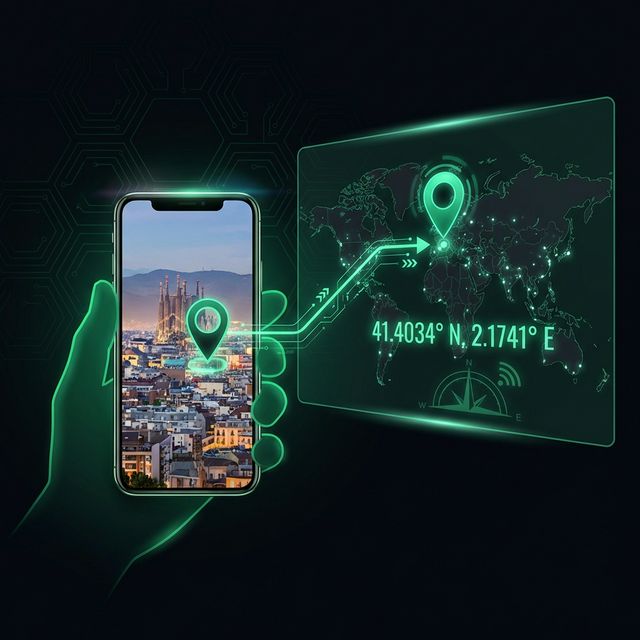
GPS Data Privacy: What You Need to Know
While GPS metadata is useful, it can also pose serious privacy risks if you're not careful about sharing photos:
⚠️ Common Privacy Risks
- Home location exposed — Photos taken at home reveal your exact address
- Workplace revealed — Regular photos from the same location can identify where you work
- Children's locations — School and playground photos may expose children's routine locations
- Travel patterns — A series of geotagged photos can reveal your daily routine and travel habits
- Sensitive locations — Medical facilities, places of worship, or other private locations may be revealed
How to Protect Your Privacy
Here are practical steps to protect your location privacy:
- Disable GPS in camera settings — Turn off "Save location" or "Location tags" in your phone's camera settings
- Remove GPS before sharing — Use AI Photo Check's GPS Remover to strip location data before posting online
- Batch remove GPS data — For multiple photos, use the Batch GPS Remover to process many images at once
- Check before you share — Always use the GPS Location Viewer to verify what metadata your photos contain before posting
- Use the EXIF Viewer — For a complete metadata audit, the EXIF Viewer shows all embedded data including camera info, dates, and software used
Do Social Media Platforms Strip GPS Data?
Many people assume social media handles GPS data for them — but the reality is more nuanced:
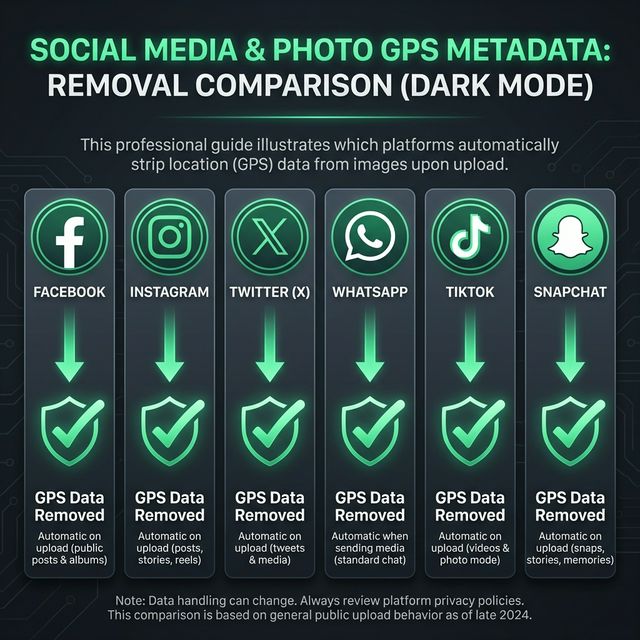
| Platform | Strips GPS from Photos? | Notes |
|---|---|---|
| Facebook / Instagram | ✅ Yes | Strips EXIF data, but may use GPS internally for location features |
| Twitter / X | ✅ Yes | Strips all EXIF data from uploaded images |
| ✅ Yes | Strips EXIF when sending as compressed photo; original file retains GPS | |
| Telegram | ⚠️ Depends | Strips EXIF when sending as photo; preserves GPS when sending as file/document |
| Signal | ✅ Yes | Strips EXIF metadata by default |
| Discord | ❌ No | Does NOT strip EXIF data — uploaded photos retain all GPS metadata |
| Email Attachments | ❌ No | Email preserves original file with all metadata intact |
| Cloud Storage | ❌ No | Google Drive, Dropbox, iCloud preserve all EXIF data |
| Forums / Blogs | ⚠️ Varies | Most don't strip EXIF — always check before uploading |
Important: Even when platforms strip GPS from the displayed image, they may still access and store the location data server-side. The safest approach is to always remove GPS data yourself before uploading using the GPS Remover tool.
Why Some Photos Don't Have GPS Data
If you upload a photo to the GPS Viewer and no location is found, it could be for several reasons:
- Location services were disabled — GPS was turned off in camera settings when the photo was taken
- Metadata was stripped — The image was processed by a tool or platform that removes EXIF data
- Camera doesn't support GPS — Older cameras, webcams, and basic point-and-shoot cameras may lack GPS hardware
- Photo was edited — Some image editors strip metadata when saving
- Screenshot or AI-generated — Screenshots and AI-generated images don't contain GPS data. Use the C2PA Checker to verify AI-generated images
- Poor GPS signal — If the device couldn't get a GPS fix (indoors, underground), no coordinates would be recorded
Beyond GPS: Full Image Metadata
GPS coordinates are just one piece of the puzzle. The GPS Location Viewer also displays full image metadata organized into categories:
- 📷 Camera — Make, model, lens specifications
- ⚙️ Settings — ISO, aperture, shutter speed, focal length, white balance
- 📅 Date/Time — Creation date, modification date, GPS timestamp
- 🖼️ Image — Resolution, color space, bit depth, orientation
- 📍 GPS — Latitude, longitude, altitude, direction, speed
- 🎨 ICC Color Profile — Color management information
- 📄 File Info — File type, size, software used
- 🖌️ Photoshop / IPTC — Copyright, creator, keywords, captions
For even more detailed metadata analysis, use the EXIF Viewer — our dedicated metadata inspection tool with searchable tags and categorized display.
Related Privacy & Metadata Tools
AI Photo Check offers a complete suite of tools for managing photo metadata and privacy:
| Tool | Purpose | Link |
|---|---|---|
| GPS Location Viewer | Extract GPS coordinates and view photo location on map | Open Tool → |
| GPS Remover | Strip GPS location data from a single image | Open Tool → |
| Batch GPS Remover | Remove GPS from multiple images at once | Open Tool → |
| EXIF Viewer | View all image metadata (camera, settings, dates, GPS) | Open Tool → |
| C2PA Checker | Verify content credentials and detect AI-generated images | Open Tool → |
| AI Photo Check | Full AI detection scan with 17 forensic methods | Open Tool → |
Frequently Asked Questions
How do I find where a photo was taken?
Upload the photo to aiphotocheck.com/gps-viewer. If the image contains GPS coordinates in its EXIF metadata, the tool will display the exact location on an interactive map along with the address, altitude, and date taken.
Can I find the location of any photo?
Only photos that contain GPS EXIF metadata will reveal their location. Most smartphone photos include GPS data if location services were enabled. Photos from cameras without GPS, screenshots, AI-generated images, and images that have been stripped of metadata will not contain location data.
Is it safe to upload my photo for GPS checking?
Yes. AI Photo Check's GPS Viewer processes your image temporarily on the server and never stores your photos. Your privacy is our top priority — the image is deleted immediately after metadata extraction.
How do I remove GPS data from my photos?
Use the GPS Remover to strip location data from a single image, or the Batch GPS Remover for multiple files. Both tools preserve image quality while removing only the GPS metadata.
Do iPhone photos contain GPS data?
Yes, by default. iPhones embed GPS coordinates in every photo when Location Services is enabled for the Camera app. You can disable this in Settings → Privacy → Location Services → Camera → Never. Use our GPS Viewer to check if your iPhone photos contain location data.
Does WhatsApp strip GPS data from photos?
When you send a photo as a compressed image in WhatsApp, EXIF data (including GPS) is stripped. However, if you send the photo as a document/file, the original metadata is preserved. Always verify with the GPS Viewer to be sure.
Can someone find my home address from a photo?
If you share a photo taken at home that contains GPS coordinates, someone could extract those coordinates and find your approximate address using reverse geocoding. This is why it's important to remove GPS data before sharing sensitive photos online.
Conclusion
GPS metadata in photos is a double-edged sword — incredibly useful for organizing and verifying images, but potentially dangerous for privacy if shared carelessly. Understanding what data your photos contain is the first step to taking control of your digital privacy.
Use AI Photo Check's GPS Location Viewer to instantly find where any photo was taken, and use the GPS Remover to strip location data before sharing. Both tools are completely free, require no registration, and never store your photos.
Ready to verify your images?
Try our free AI image detector with 17 detection methods and 90%+ accuracy.
Try AI Photo Check Free